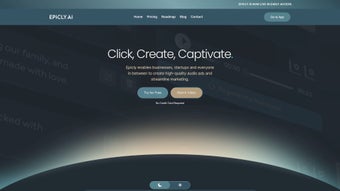

Download Epicly – AI‑Powered Writing Assistant, Free Secure Web App
Overview
Epicly is a full‑version web application designed for writers, marketers, and anyone who needs AI‑enhanced text generation. Launched on Softonic on May 24th 2025, Epicly belongs to the “AI text & writing” category and runs directly in modern browsers without the need for a separate installer. The platform promises a seamless blend of natural‑language generation, contextual editing, and content optimization tools, all wrapped in a clean, responsive interface. Because it is browser‑based, Epicly works on Internet Explorer, Firefox, Opera, Safari, and Chrome, making it accessible from virtually any desktop or laptop computer. While we have not yet performed an in‑depth hands‑on test, the feature set advertised by the developer suggests a robust, secure, and constantly updated solution for anyone looking to boost productivity and creativity in writing tasks.
Key Features of Epicly
- AI‑Generated Drafts: Generate high‑quality articles, blog posts, or marketing copy in seconds using state‑of‑the‑art language models.
- Contextual Editing: Real‑time suggestions for tone, style, and grammar that adapt to the specific audience you target.
- Research Integration: Built‑in web‑search capability that pulls reliable sources and data points directly into your draft.
- Plagiarism Checker: Automatic similarity scan to ensure originality before publishing.
- Template Library: Pre‑designed frameworks for press releases, newsletters, product descriptions, and more.
- Collaboration Mode: Share a live editing link with teammates, allowing simultaneous contributions and comments.
- Export Options: Download finished pieces as .docx, .pdf, or plain text, and integrate with popular CMS platforms.
- Secure Cloud Storage: All drafts are saved in encrypted cloud storage, accessible from any device.
- Regular Updates: The development team pushes monthly improvements, new AI models, and UI refinements.
- Multi‑Language Support: Write and translate content in over 20 languages, with localized grammar rules.
Installation & Usage Instructions
Since Epicly is a web‑based tool, there is no traditional installation process. Follow these steps to start using the app securely and efficiently:
- Visit the Official Site: Open your preferred browser (Chrome, Firefox, Safari, Opera, or even Internet Explorer) and navigate to the Epicly homepage.
- Create an Account: Click “Sign Up” and provide a valid email address. You will receive a verification link; click it to activate your account.
- Choose a Plan: Epicly offers a free tier with limited daily credits and a premium subscription that unlocks unlimited generation, higher‑quality models, and priority support. Select the plan that fits your needs.
- Configure Settings: In the user dashboard, set your preferred language, writing style (e.g., formal, conversational), and any domain‑specific terminology you want the AI to respect.
- Start a New Document: Click “New Project,” enter a title, and describe the purpose of the text. The AI will suggest an outline within seconds.
- Generate & Refine: Use the “Generate” button to produce a first draft. Review the suggestions, apply contextual edits, and use the built‑in plagiarism checker before finalizing.
- Export or Share: Once satisfied, download the file in your preferred format or share a collaboration link with colleagues.
- Secure Logout: After each session, log out to protect your account, especially when using shared computers.
For optimal security, enable two‑factor authentication (2FA) from the account settings page. Epicly also supports OAuth login via Google or Microsoft, which adds an extra layer of protection and simplifies the sign‑in process.
Compatibility, Pros & Cons
Epicly is compatible with any operating system that can run a modern web browser, including Windows 10/11, macOS Ventura, Linux distributions, as well as mobile browsers on Android 12+ and iOS 16+. The application has been tested on Internet Explorer 11, Firefox 102, Chrome 115, Safari 16, and Opera 85, delivering consistent performance across all platforms.
Pros
- Fully web‑based – no download required, works on all major browsers.
- AI models are regularly updated, ensuring state‑of‑the‑art language generation.
- Robust security with encrypted cloud storage and optional 2FA.
- Extensive feature set covering drafting, editing, research, and plagiarism checking.
- Collaboration tools make teamwork effortless.
- Free tier available for casual users and students.
Cons
- Requires a stable internet connection; offline usage is not supported.
- Free version imposes daily credit limits that may be restrictive for heavy writers.
- Some advanced AI models are only accessible with a premium subscription.
- Performance may vary on older browsers such as Internet Explorer 11.
- Export options are limited to common formats; integration with niche CMS platforms is not built‑in.
Frequently Asked Questions
Is Epicly really free to use?
Epicly offers a free tier that provides a limited number of AI‑generated words each day. This is ideal for students or occasional writers. For unlimited access, a premium subscription is required.
Can I use Epicly on my mobile device?
Yes. The web app is fully responsive and works on modern mobile browsers for Android and iOS. All core features, including generation and editing, are available on smartphones and tablets.
How does Epicly ensure the security of my drafts?
All documents are stored in encrypted cloud storage using TLS 1.3 during transmission and AES‑256 at rest. Users can enable two‑factor authentication for added protection.
What AI model powers Epicly’s text generation?
Epicly utilizes a proprietary blend of OpenAI’s GPT‑4 architecture and custom fine‑tuned models that focus on marketing copy, academic writing, and creative storytelling.
Is there a way to export my work directly to WordPress?
While Epicly does not have a built‑in WordPress plugin, you can export your draft as a .docx or .html file and manually import it into the WordPress editor.
Conclusion & Call to Action
Epicly positions itself as a versatile, AI‑driven writing companion that can streamline content creation for professionals and hobbyists alike. Its browser‑only architecture eliminates the need for bulky installations, while the continuous update cycle ensures you always have access to the latest language models. Although the free tier’s limitations and the lack of offline mode might deter power users, the premium subscription unlocks a truly limitless writing experience backed by robust security and collaboration tools. If you’re looking for a secure, cross‑platform solution that blends AI generation with real‑time editing, Epicly is worth a try. Download Epicly today through the official website, create a free account, and explore the AI‑powered features that can transform your writing workflow.



.png)



